8.6.1. Configuring the export data to a SIEM via the syslog protocol
8.6.1.1. Introduction
This procedure describes how to configure the 2 connections to the SIEM via the syslog protocol.
The two available connections are named :
Data export #1
Data export #2
8.6.1.2. Links associated
See the Connection to Syslog servers presentation.
See the presentation of the exported data described in the Data use paragraph.
The graphical interface of the data export function is described in `Data export` screen.
8.6.1.3. Prerequisites
User: member of Administrator group
8.6.1.4. Preliminary operations
Login to GCenter via a browser (see Connecting to the GCenter web interface via a web browser)
8.6.1.5. Procedure to access the `Data export` window
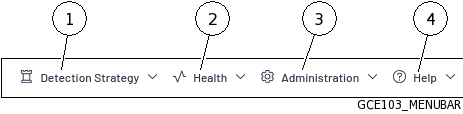
In the GCenter interface, click on the
`Administration`menu (3).- Click on the
`Log export`command from the`Data`submenu.The`Data export`window is displayed.
8.6.1.6. Procédure to set the `Data export #1` settings
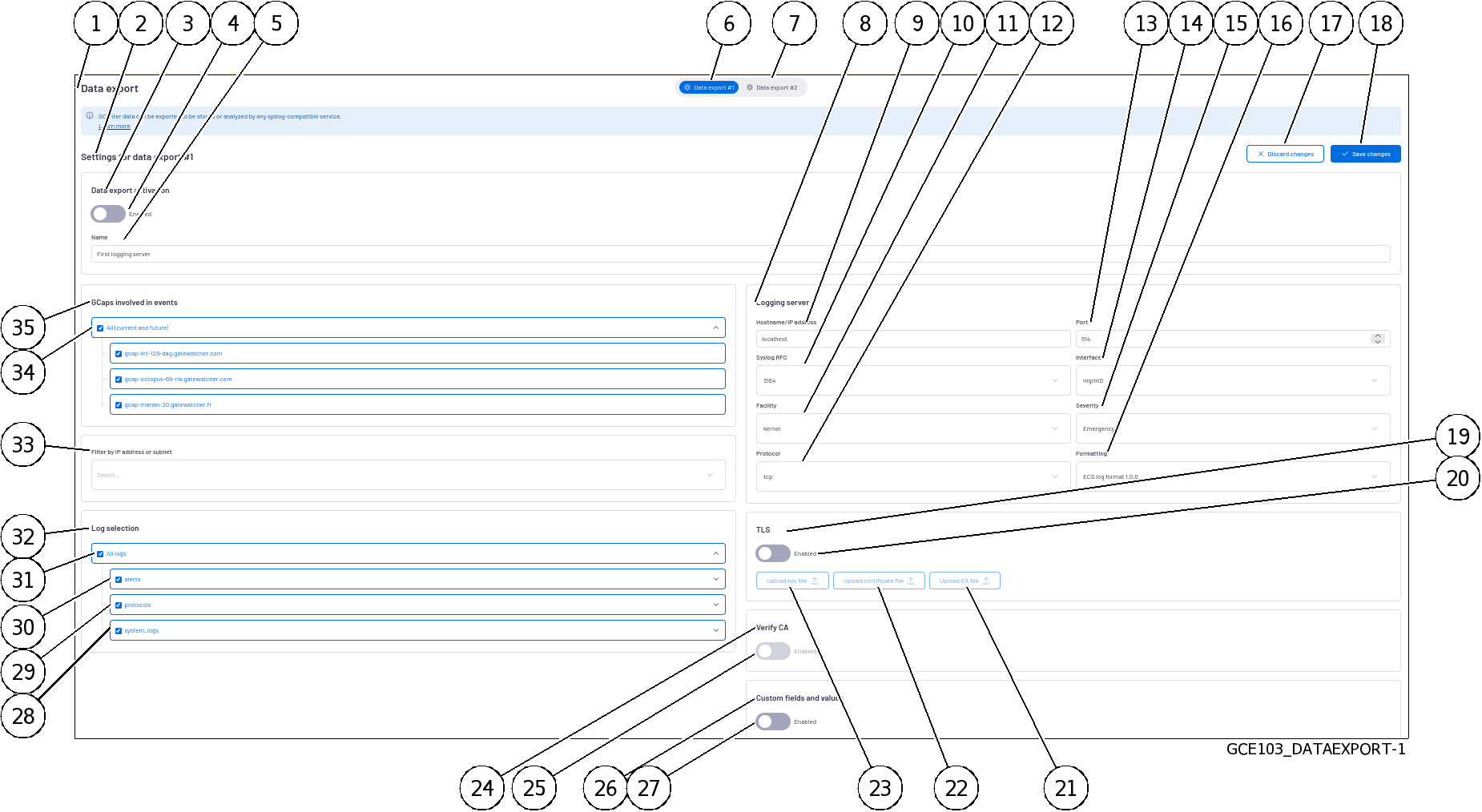
- Click the
`Data export #1`button (6).The`Settings for data export #1`area (2) is displayed. - Enter the necessary parameters.The list of items is detailed in `Data export` screen.
Validate using the
`Save changes`button (9).If necessary, set up the other connection (7).
8.6.1.7. Procedure to activate the export
Use the
`Enabled`selector (4) to activate the export.Validate using the
`Save changes`button (18).